Dashboard
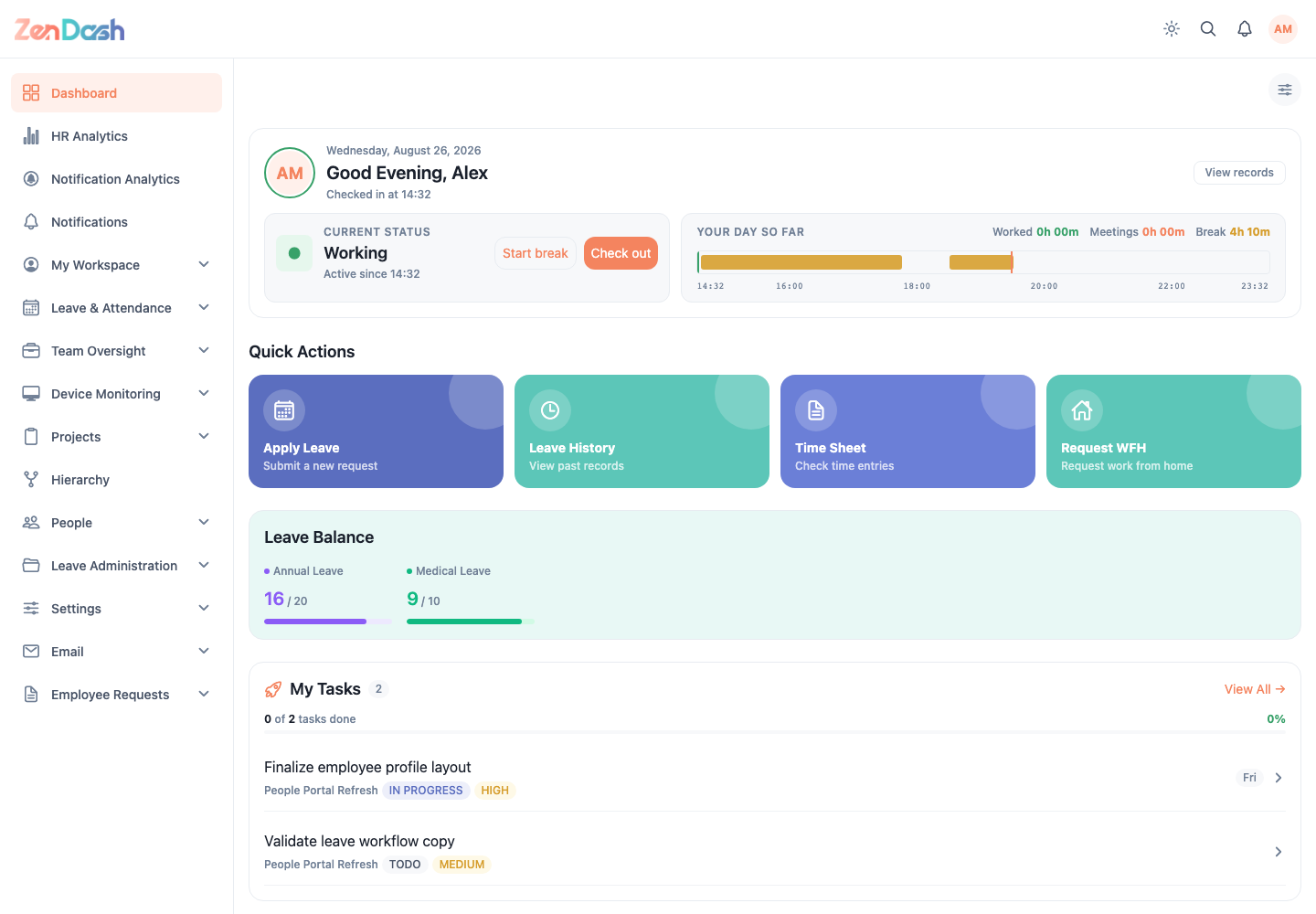
Dashboard brings together the actions and status information relevant to the signed-in employee.
Quick actions
The visible actions depend on permissions and enabled modules. Common actions are:
- Apply Leave to submit a new request;
- Leave History to review previous and pending requests;
- Time Sheet to inspect attendance entries; and
- Request WFH when Work From Home is enabled.
Widgets
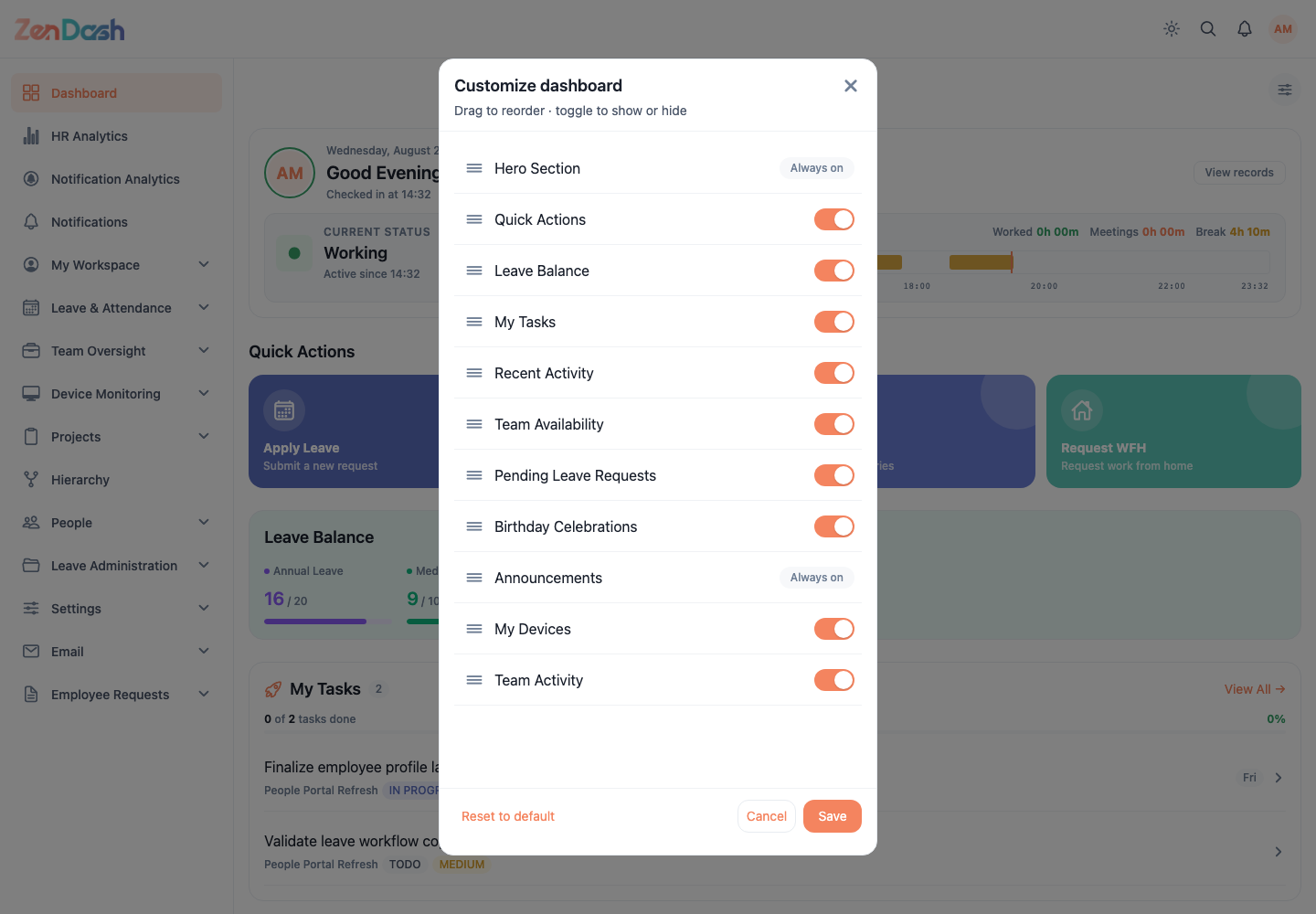
The dashboard can include Announcements, Today's Activity, My Tasks, Quick Actions, Device Status, Leave Balance, Birthdays, Employees on Leave, Pending Requests, and Team Activity. A widget is omitted when its feature is unavailable or your account lacks access.
Select a task or request to open its quick view or full record. Attendance prompts can ask you to Check in when the current policy requires it.
Arrange the dashboard
When the customize control is available:
- Select the settings control or the Rearrange your dashboard prompt.
- Drag widgets into the preferred order.
- Toggle optional widgets on or off.
- Select Save.
Cancel discards changes. Reset to default restores the standard order and visibility. Layout preferences are stored for your account.